This guide covers everything you need to manage your team on E1: how Admin and Standard users differ, how to add a new team member, how to update someone's permissions, and how to remove access when someone leaves.
Admin and Standard users: what each can do
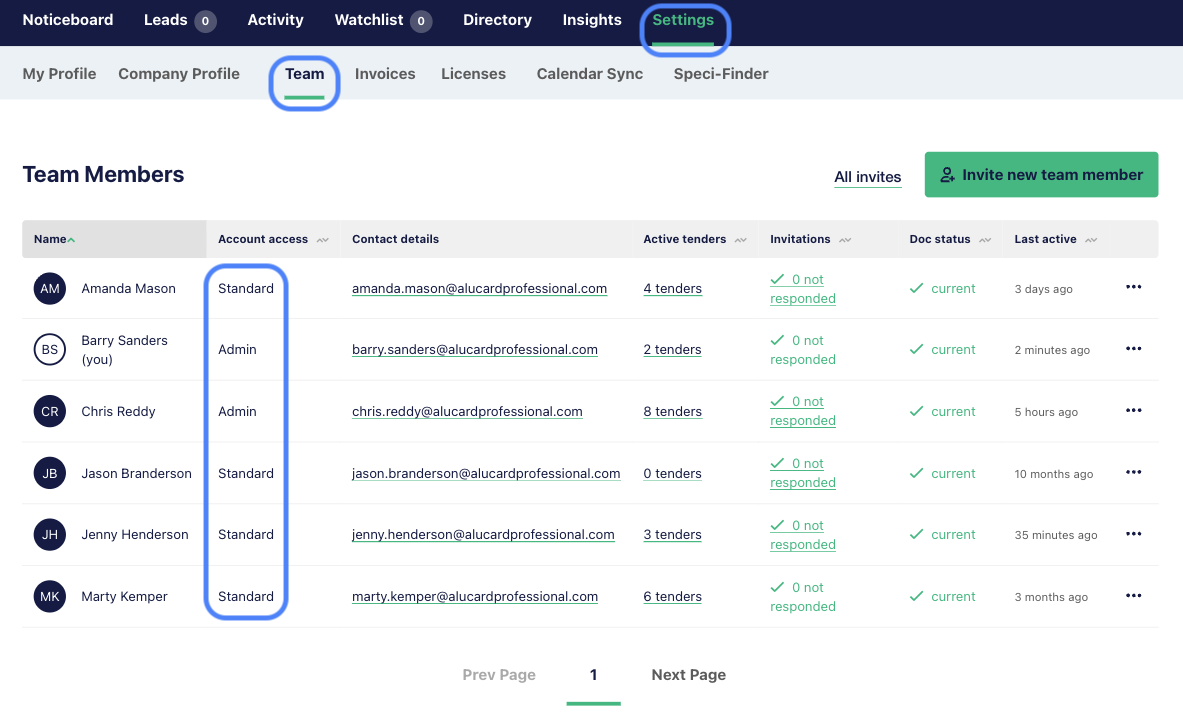
Every team member has one of two permission levels: Admin or Standard. Both can see the Team tab under Settings. The difference is what they can do once they're there.
- Admin users can do everything: add team members, edit user details, change permission levels, resend access links, and delete users. They also have full control over the company account, including billing and the Company Profile.
- Standard users can add team members and resend access links, but can't edit team member details, change permission levels, or delete users.
The table below shows the full breakdown:
| Function | Admin user | Standard user |
|---|---|---|
| Add a new user | Yes | Yes |
| Resend an access link | Yes | Yes |
| Resend a pending invitation | Yes | Yes |
| Edit Company Profile page | Yes | Yes |
| Edit user details (name and contact number) | Yes | No |
| Amend user permission levels | Yes | No |
| Delete a user | Yes | No |
| Add or amend ABN on Company Profile page | Yes | No |
| Delete notes team members have left on projects | Yes | No |
| Upgrade the company account | Yes | No |
| Cancel paid licences | Yes | No |
To check or change a team member's permission level, head to the Team tab under Settings.
Adding a new team member
- Go to Settings > Team.
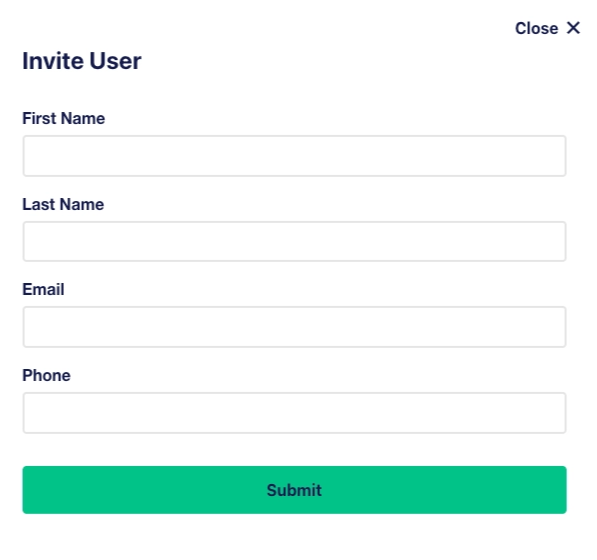
- Click Invite new team member. This opens the Invite User form.
- Enter your team member's first name, last name, and email. Adding a phone number is optional but recommended.
- Click Submit.
Your team member will get an email with a link to join the account.
Managing existing team members
To manage an existing team member, click the three dots in the right-hand column next to their details. The menu shows three options: Resend access link, Edit user, and Delete user.
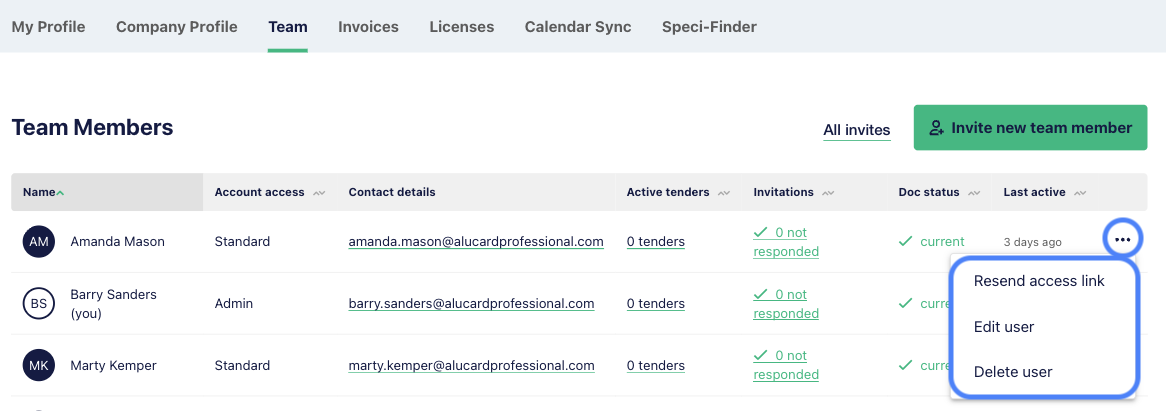
From here, you can:
Change someone's permission level
From the three-dot menu, click Edit user. Tick the ‘is Administrator’ box to make them an Admin user, or untick it to set them back to Standard. Click Submit to apply the change immediately.
Resend an access link
If a team member has already accepted their invite but can't get into their account, click Resend access link from the three-dot menu next to their name. They will get a fresh login link by email.
Resend a pending invitation
If a team member hasn't accepted their invitation yet, go to the All invites section of the Team tab to resend it.
Find the person you want to resend to and click Resend next to their invitation. The new invitation email will go out straight away. The Resend button is available for invitations with a Sent or Declined status.
Delete a team member
Click Delete user and confirm. They'll lose access immediately.
Troubleshooting: my team member didn't get their invite
If your team member can't find their invitation email:
- Resend the invitation. Go to the All invites section of the Team tab, find the person, and click Resend. Most missing invites are resolved this way.
- Check Spam or Junk. Invitations sometimes land there.
- Search the inbox for "E1" to find the email.
- Clear the browser cache. Sometimes a cached login state blocks the invite link. Here's how to clear your cache.
If none of that works, contact our support team.
FAQs
Can I have more than one Admin user?
Yes, and we recommend it. Keeping at least two Admin users on your account means you're never locked out if one person's unavailable.
I'm trying to invite someone but I'm getting an error
If you see an error stating "this email already has an outstanding invite”, or “this user is already on your team" this usually means the email address has previously been on the platform and was later deleted.
Deleted accounts have to be reinstated manually, please contact our support team and we'll sort it out.
Can I resend an invitation to someone who hasn't accepted yet?
Yes. Go to the All invites section of the Team tab, find the person, and click Resend next to their invitation. The Resend button is available for invitations in Sent or Declined status, and has a 10 minute cooldown after each resend to prevent duplicates.