Signing in with Google (social login)
To make accessing your account faster and more secure, you can now sign in to E1 using your existing Google account. This means one less password to remember and a quicker path to your project invites.
What is social login?
Social login allows you to use your Google credentials to verify your identity. Instead of typing an E1-specific email and password, you simply click a button to log in instantly.
The Benefits:
- Faster Access: No more manual typing or password resets.
- Enhanced Security: Leverage the security features (like Two-Factor Authentication) you already have set up with Google.
How to use it step by step
Currently, social login is available when you access E1 via a notification email.
- Click any login link in any E1 notification email (such as a tender invitation, watchlist alert, or Happy Monday update).
- On the login screen, select ‘Continue with Google’.
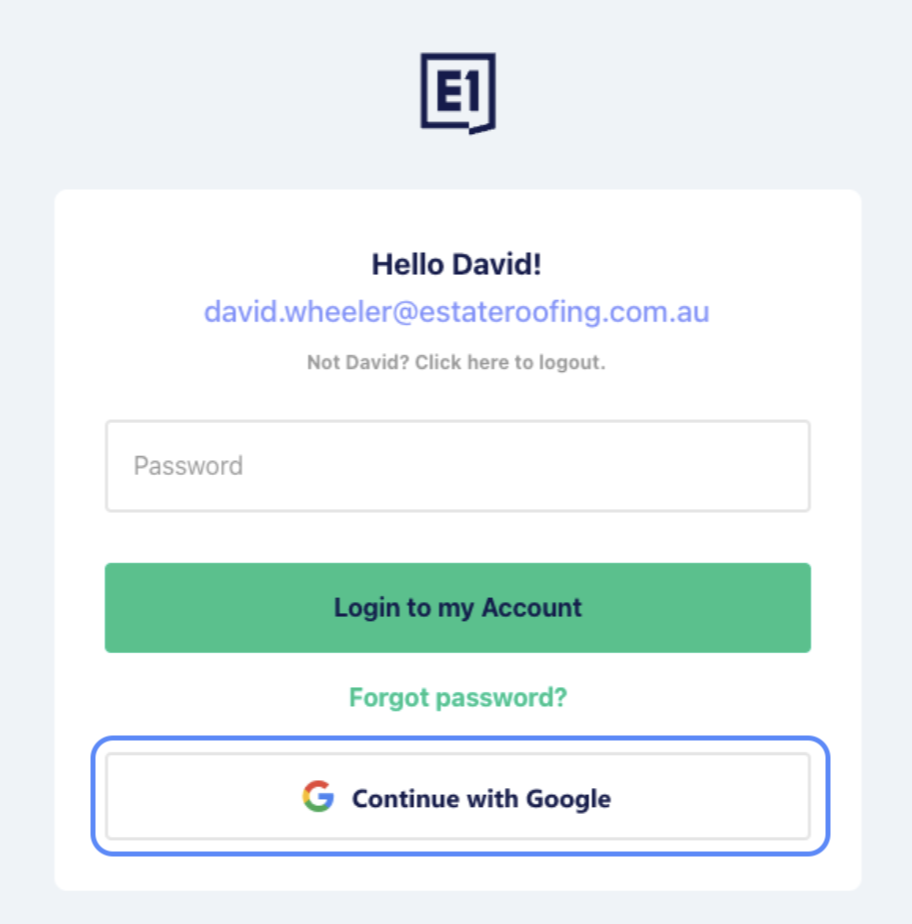
- A pop-up will appear. Log in to your Google account as prompted.
- Confirm the link: On your first use, you may be asked to confirm that you want to link this social account to your E1 account.
- You will be returned to E1, fully signed in.
Note: Social login is currently only available via notification email links. If you visit the main E1 homepage directly, please continue to use your standard email and password for now.
Managing your email address
When you switch to Google sign-in, that provider becomes the "owner" of your login identity.
- Read-only email: Your email address in your E1 account settings will become read-only.
- Updating your email: If you need to change your login email, you must update it within your Google account settings.
Troubleshooting
| Symptom | Likely Cause | Resolution |
|---|---|---|
| Social login buttons don't appear. | You are likely on the main homepage login. | Click a link from an E1 notification email to access the social login screen. |
| "Can't find your account" error. | The Google email doesn't match your E1 email. | Check the email used with Google matches your E1 account email; if not, use email + password to log in, or contact support |
| Email field is greyed out in Settings. | You are logged in via your Google email. | Your email is now managed by Google. Update it through their platform, or contact support if you need to unlink the accounts. |